

This repository is a collection of learning materials created by Cook Library faculty and staff. These materials are designed to help learners understand and practice information literacy and research skills. Faculty members are welcome and encouraged to use these materials in their courses. If you have a suggestion for content you would like to see added to this repository, please contact Head of Library Teaching, Elisabeth White (ebwhite@towson.edu).
| Download | Name | Brief Description | Type | Topic |
|---|---|---|---|---|
|
Do You Have My Textbook? | This 4 minute video shows how to find out if Cook Library has the textbook for any of your courses. It shows how to search the Course Books in the Library page and how to use Cook OneSearch to check if the library has a specific title. | Video | Using the Library, Searching |
|
Finding Children’s Books | This 1 minute video shows how to use Cook OneSearch to find children’s books at Cook Library. | Video | Using the Library, Searching |
|
Find Journal Articles with Cook OneSearch | This 3 minute video shows how to search Cook OneSearch to find journal articles on a topic. It shows how to limit your search using filters such as creation date and language and how to access and save the articles you find. | Video | Using the Library, Searching |
|
Find Ebooks with Cook OneSearch | This 3 minute video shows how to use Cook OneSearch to find eBooks that are available at Cook Library. It shows how to narrow your search to just eBooks and how to access and view the titles you find. | Video | Using the Library, Searching |
|
Finding Articles in ScienceDirect | This 6 minute video shows how to find research articles using the database ScienceDirect. It shows how to access ScienceDirect through Cook Library, how to enter your search terms, how to narrow your results based on desired criteria, and how to access and read articles. | Video | Searching |
|
Literature Searching with Scopus | This 16 minute video shows how to use the database Scopus to conduct a literature search. It includes how to access Scopus, how to create a good search, how to narrow your results based on desired criteria, how to access articles, and how to find information on article impact and references for each article. | Video | Searching |
|
Evaluating Academic Sources in the Sciences | This handout describes criteria that students should consider when deciding whether a scientific journal article is credible and appropriate to use in their research. It includes links to databases that students can use to help find evaluation information including author, journal, and article metrics. | Handout | Evaluating |
|
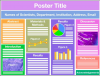
Creating Scientific Posters | This guide provides information to help students create scientific posters, including both print and virtual posters. It explains what information should be included in a poster, with details about what each section should contain. It also includes information about APA citation style and tips for presenting the poster. Several sample posters are included as well. | Handout | Presenting Research |
|
Background vs. Scholarly: What’s the Difference? | This self-paced asynchronous activity helps students differentiate between background sources and scholarly sources. It provides some general information about how to tell if a source is scholarly, including a flowchart. Then, students are presented with five examples of sources and they identify whether they think each source is scholarly at a quick glance and after a more in-depth look at the source. Answers and explanations are provided for each source so students can check their work. | Interactive Tutorial | Source Types |
|
Avoiding Unintentional Plagiarism | This module helps students understand how to avoid unintentional plagiarism by explaining what plagiarism means and describing how to give proper credit to any outside sources used in research. It demonstrates how to paraphrase properly, using a few examples of good and bad paraphrasing to help students identify what it really means to put something in their own words. The module contains text, audio, and a few knowledge check questions to test understanding. | Module | Citing |